
README table
showcase readme prints an HTML table of the framed images, a row of images and a row of <sub>
captions under it, with image paths relative to your README. Run it after showcase all (or
showcase frame) and paste the output into the README. --layout picks one of four other
arrangements of the same images (see Layouts).
A minimal run
Section titled “A minimal run”npx showcase readmeFor the getting started config, with a README next to the config:
<table> <tr> <td width="50%"><img src="assets/showcase/en/home.webp" alt="My App: Home" /></td> <td width="50%"><img src="assets/showcase/en/settings.webp" alt="My App: Settings" /></td> </tr> <tr> <td align="center"><sub>The home screen.</sub></td> <td align="center"><sub>Settings</sub></td> </tr></table>The table goes to standard output and warnings go to standard error, so
npx showcase readme > showcase-table.html writes a clean file. The command only reads the config and
prints: it launches no browser and captures nothing.
Captions and alt text
Section titled “Captions and alt text”- The caption is the shot’s
caption, or itstitlewhen there is none. - The image’s
altis the shot’salt, which defaults to<name>: <title>. - Both are HTML-escaped.
So a shot with a title and no caption gets its title as the caption, as settings did above.
Options
Section titled “Options”| Option | Default | What it does |
|---|---|---|
--layout <name> |
table |
How the images are laid out: table, rows, featured, details or list (see Layouts). |
--cols <n> |
2 | Images per row, 1 to 6, in the table layout, and thumbnails per row in featured. Each cell is 100 / n percent wide, rounded down. |
--lang <code> |
the first of langs |
Which language’s images to list. It must be one of langs. |
--base <dir> |
the config’s directory | The directory your README is in. Image paths are written relative to it. |
--only <ids> |
every shot and clip | Comma-separated shot and clip ids. The table keeps config order; an unknown id is an error. |
--base is resolved against the config’s directory (or root, if you set one), not the directory you
run the command from. In a monorepo with the config in packages/app/ and the README at the
repository root:
npx showcase readme --base ../..writes image paths such as packages/app/assets/showcase/en/home.webp. Paths always use forward
slashes, on Windows too.
A listed image that does not exist yet still gets its cell, with a warning that names the command to
run (showcase frame, or showcase record for a clip).
The CLI reference has the command with every option.
Layouts
Section titled “Layouts”--layout picks another arrangement of the same images, captions and alt text. GitHub removes CSS and
most HTML attributes from a README, so every layout is built only from what it keeps: tables with
width and align, <p align>, <h3>, <sub>, <br>, <details> and <summary>. Each one was
checked through GitHub’s own Markdown renderer.
--layout |
What it prints |
|---|---|
table (default) |
The table above. |
rows |
One small table per image: the image in a 60% cell, and the title (as <h3>) and caption in a 40% cell, alternating sides. A table each, because the columns of one table are shared and alternating cells would squeeze the images. |
featured |
The first image full width with its caption under it, then the others in a table of --cols per row. |
details |
One collapsible <details> per image, with the title and caption as its summary; the first starts open. |
list |
Every image full width, one under the other, each with its caption. |
Each layout as the kit printed it for Nightjar, the fixture app of the docs gallery, rendered here the way a GitHub README shows it. The gallery has the HTML of each and the command that printed it.
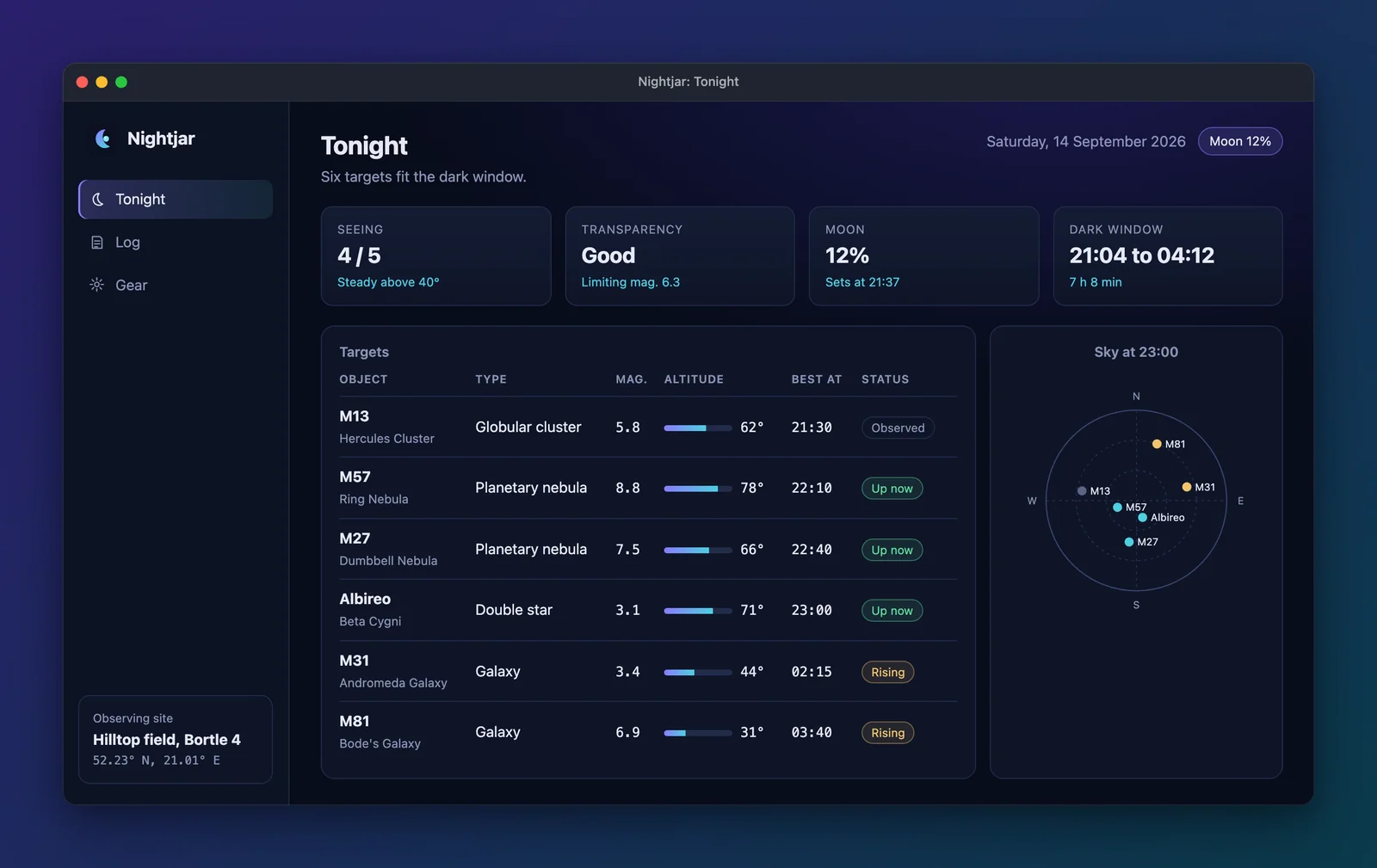 |
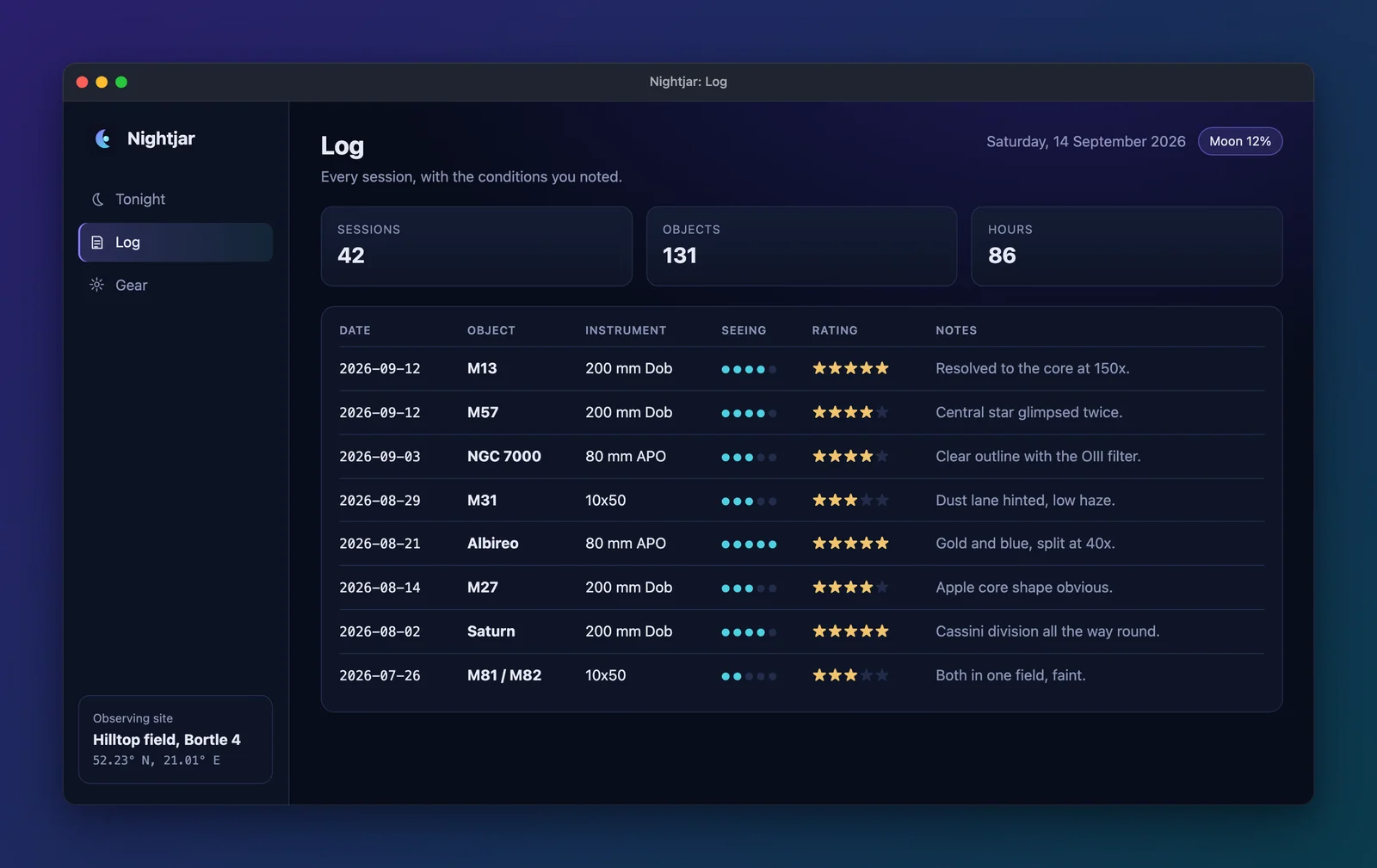 |
| Plan the night: conditions, targets and a sky chart. | Every session, with seeing and notes. |
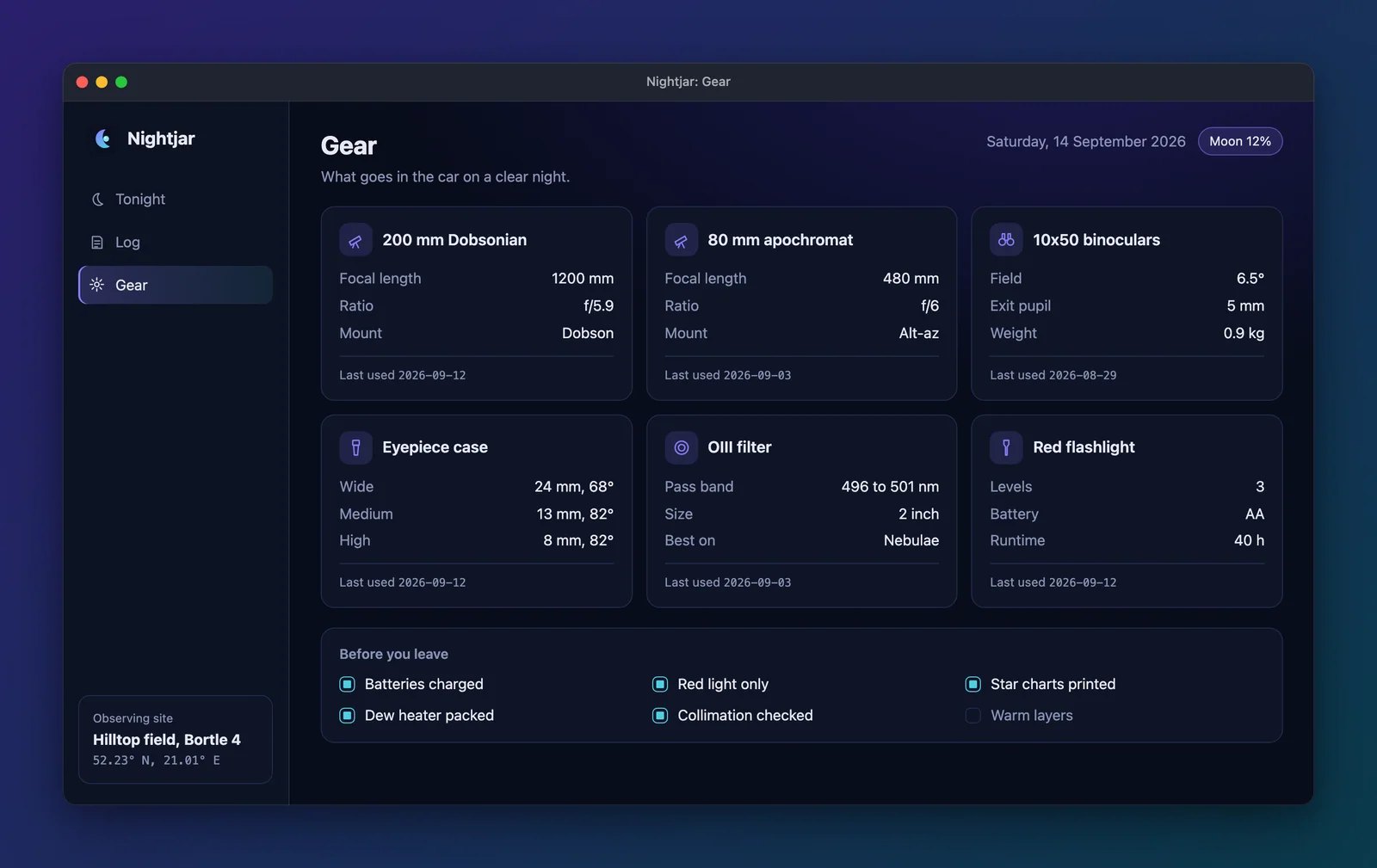 |
|
| The kit that goes in the car. |
|
TonightPlan the night: conditions, targets and a sky chart. |
LogEvery session, with seeing and notes. |
|
|
GearThe kit that goes in the car. |
Plan the night: conditions, targets and a sky chart.
|
|
| Every session, with seeing and notes. | The kit that goes in the car. |
Tonight: Plan the night: conditions, targets and a sky chart.
Log: Every session, with seeing and notes.
Gear: The kit that goes in the car.
Plan the night: conditions, targets and a sky chart.
Every session, with seeing and notes.
The kit that goes in the car.
--cols only means something for table and featured; with another layout it is an error.
npx showcase readme --layout featured --cols 3<p align="center"> <img width="100%" src="assets/showcase/en/home.webp" alt="My App: Home" /> <br /><sub>The home screen.</sub></p><table> <tr> <td width="33%"><img src="assets/showcase/en/settings.webp" alt="My App: Settings" /></td> </tr> <tr> <td align="center"><sub>Settings</sub></td> </tr></table>Clips in the table
Section titled “Clips in the table”In a terminal app config with clips, the clips follow the shots in the
same table (or in the same layout):
- a clip with a WebP or GIF gets an
<img>of the first of those in itsformats, which GitHub plays inline; - when the clip also has an MP4, its caption ends in a link to it: “Tour (MP4)”, with “MP4” as the link;
- an MP4-only clip is a link, because GitHub is not known to play a video from the repository inline.
--only takes clip ids as well as shot ids.
Without README images: outputs.readme: false
Section titled “Without README images: outputs.readme: false”With outputs.readme: false there are no framed images to list, so readme stops with an error that
says so. A terminal app config with clips is the exception: the table then lists only the clips (and
an --only that names only shots is an error that says why).
Related
Section titled “Related”- Frames: where the images come from and how big they are.
- Portfolio: the gallery JSON, the same idea for a portfolio site.
- Hero banner: a banner for the top of the README.